|
||
      |
||
|
|
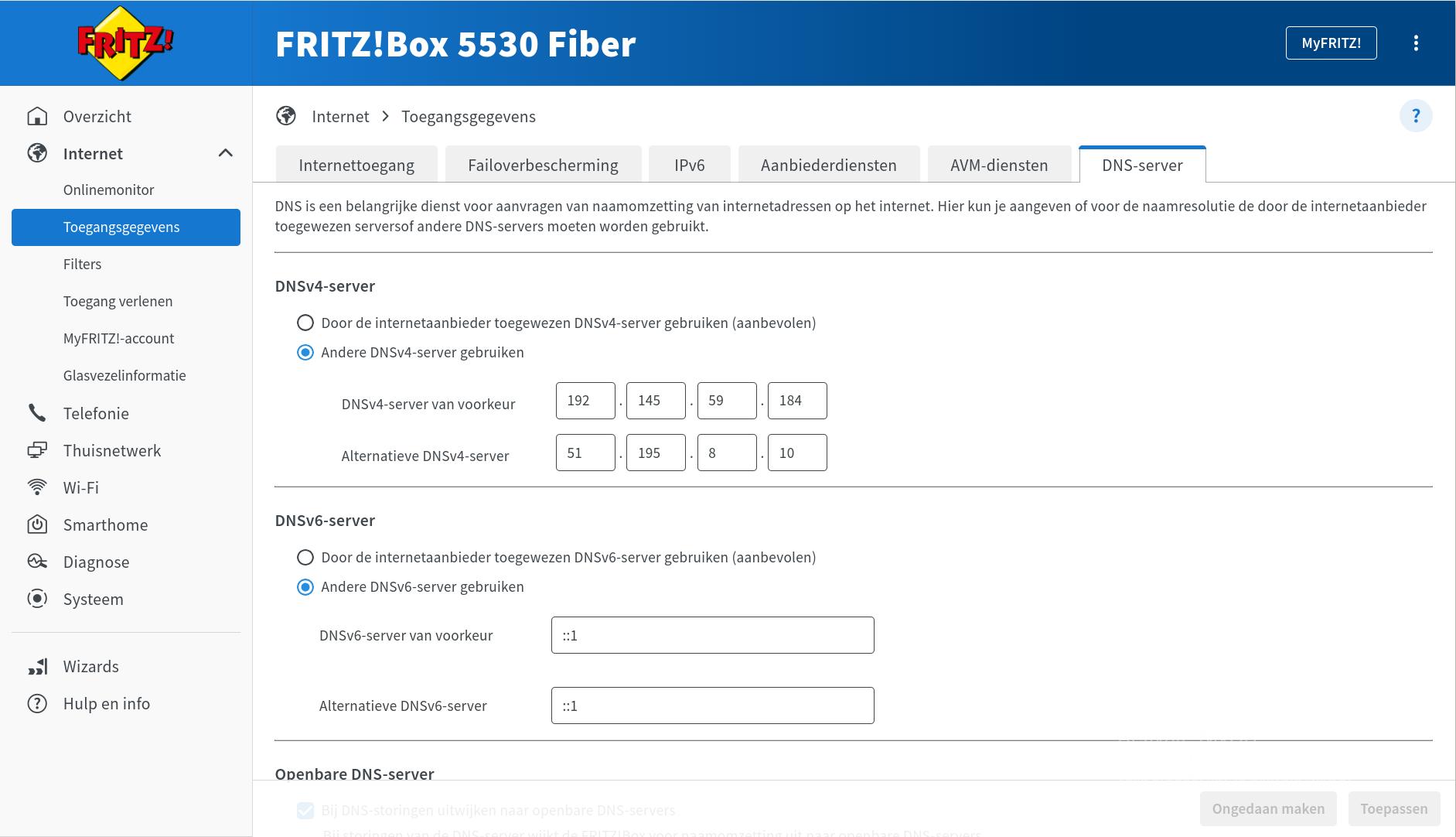
Typical SetupsThis page gives instructions on how to configure your home setup to use DigiNøltar. Click on a screenshot to enlarge. FritzboxGo to your fritzbox settings, Internet > Account information > DNS Server. Enter the two recursive dns servers in the v4 field. If by the time you're reading this we still haven't setup v6, you can trick the fritzbox by entering
Recursing DNS yourselfIn case you want to configure your own recursor to forward our zones, find up-to-date configuration examples here: |
Service centrum
Infrastructure Status
|

|
||


 How to use